Longos Sense
How to Use Longos Sense: Step-by-Step Setup, Modes and Care According to the Manual
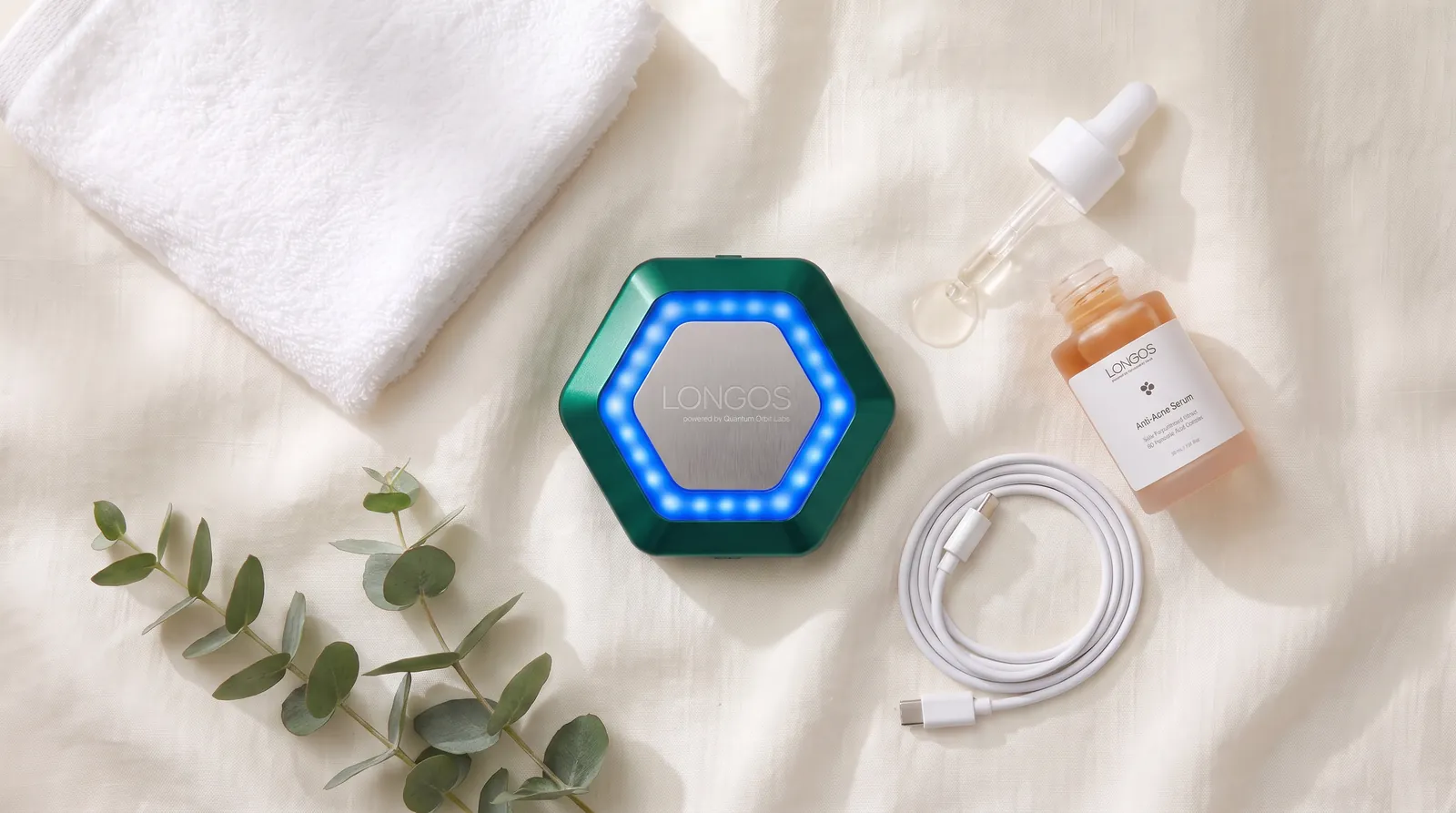
How do you use Longos Sense? The short answer
People who search "how to use Quantum Orbit Labs" or "how to use the Longos device" are asking about the same device: Longos Sense. Use comes down to seven steps. Charge the device for about 2 hours before the first session, download the app and create an account, turn on Bluetooth and switch on the device, take the analysis photo with a clean, makeup-free face, start the mode the app chooses at the lowest intensity, move the device slowly over your face or neck, and wipe the application surface with a dry cloth when the session ends.
Numbers to keep in mind. According to version 1.2 of the user manual, dated 20 June 2026, the device has 2 application surfaces and 6 care modes. Intensity is set between 1 and 6. A session lasts 5-10 minutes. Radiofrequency is recommended 3-4 times a week, LED light up to three times a day, and cooling 3-5 minutes per session. In heat mode the surface reaches at most 39 °C, and you must not hold the device on one spot for longer than 10 seconds.
What is this guide based on? Every number comes from the manual, the product page or QOL's own pages; where the manual is silent, we wrote "not specified in the manual". You can download the whole manual from the Longos Sense user manual and technical support page. User reviews, the complaint process and the device review are in separate articles of ours.
Before you start: who should not use Longos Sense?
The device is for adults. According to section 1 of the manual, Longos Sense is a cosmetic skincare device designed for home use by adults aged 18 and over. It is not used for the diagnosis, treatment or prevention of disease. The application area is the face and neck. It is not applied on or over the eyes, the eyelids or an electronic implant; it is for external use only.
Section 2 of the manual says not to use the device in these cases:
- An active electronic implant: pacemaker, ICD, cochlear implant, neurostimulator, insulin pump
- A metal implant, plate, screw or pin in the application area
- An active skin infection, open wound, rash or active lesion in the application area
- Epilepsy or a history of light-triggered seizures
- Pregnancy and breastfeeding
- Active cancer, a history of skin cancer or conditions that suppress the immune system
- Known light sensitivity or use of a medication that causes photosensitivity (talk to your doctor)
- Use of a blood-thinning medication (talk to your doctor)
- Being under 18
If you have a health condition that is not on the list, the manual asks you to talk to your doctor before use. The product page adds a recent dermatological procedure to this: if you have had one, talk to your doctor first.
General safety rules. According to section 3.1 of the manual, the device is not waterproof; do not use it in or near water. If the device or the cable looks damaged, stop using it and contact support. Keep the device out of the reach of children.
We cover the safety rules of each technology, and what to watch if you take medicines, in detail in our guide to the safety of at-home skincare devices.
What is in the box, and how do you charge the device?
Box contents. According to the box contents list on the Longos Sense product page, the Signature package contains the device, 8 serums of 30 mL each, a USB-C charging cable, the user manual and the app. Section 4.2 of the manual says the number of serums varies with the package you buy; the other packages on the product page have 2, 4 or 6 serums. The model, batch and serial number are on the label of the box. The manual asks you not to remove these labels, because the serial number is needed for a service request.
Check on delivery. Under Article 6.1 of the distance sales contract, if you think a package looks damaged, open and check it in the presence of the courier. If there is damage, have a report drawn up and do not accept the product.
The charger is not in the box. There is only a cable in the box. The manual asks you to charge the device with a 5 V / 2 A compatible USB-C charger. A full charge takes about 2 hours, and you need to charge the device fully before first use. The battery is lithium-ion with 3.7 V and 1800 mAh capacity.
Rules from section 10 of the manual while charging:
- The device does not work while charging; keep sessions and charging separate.
- When the battery is low, the app shows a low-battery indicator.
- Make sure your hands are completely dry when plugging in or unplugging the cable.
- Do not cover the device and the adapter with a blanket or towel, and do not leave them in excessive heat.
- Do not use a damaged or non-standard cable; do not leave the device charging unattended for long.
How many sessions does one charge last? Not specified in the manual. Watching the battery indicator in the app is the most reliable way.
First use and pairing with the app: step by step
The four preparation steps in section 5 of the manual:
- Fully charge the device (about 2 hours).
- Download the app from the App Store or Google Play; the QR code on the packaging takes you straight to the app. According to the product page, the app is listed in the stores under the name "Quantum Orbit Labs".
- Create an account in the app and turn on your phone's Bluetooth.
- Cleanse your face and neck thoroughly, remove all makeup and dry your skin.
Turning on and off
When you hold the ON/OFF button for 2 seconds, the device turns on and confirms by vibrating once. To turn it off, hold the button for 3 seconds; the device vibrates twice.
Connecting to the app
According to section 6.2 of the manual, first open the app and make sure Bluetooth is on, then turn on the device. The app detects the device by itself and connects. After that, all care modes and intensity levels are selected from the app. The device connects with Bluetooth Low Energy 5.0; the manual suggests restarting the device or changing its position if a frequency clash with other devices rarely occurs.
Is your phone compatible? According to Article 7.4 of the distance sales contract, the app requires at least iOS 15.5 and Android 8.0 at the date of the contract, and it also says newer versions may be required in the future. According to the contract, using the device requires the app and internet access; the account belongs to the person who first creates it and cannot be transferred to anyone else.
How do you take the photo for the skin analysis?
What does the analysis do, and what does it not do? According to section 7.2 of the manual, the app scores cosmetic appearance parameters on a 0-100 scale from the photo you take with the front camera. Based on these scores and the preference you choose, it suggests a serum and a care mode. QOL's skin analysis page lists the current indicators as acne, pores, wrinkles, dark circles, blackheads and uneven skin tone; this list may change as the app develops. The analysis is a tool for tracking cosmetic appearance: it does not diagnose or treat any disease.
For a good analysis photo. The manual's troubleshooting table and the tips on the skin analysis page meet at the same points:
- Stand in a bright place, with daylight reaching your face from the front.
- Wash your face and take the photo without makeup.
- Hold the phone level and steady at face height.
- Tie your hair back so your forehead and cheeks stay uncovered.
- Without glasses or a hat, your whole face should be in the frame.
The same conditions for a comparable result. According to the skin analysis page, the analysis is done once a week, and each result is saved with its date in the History tab. If the light or makeup changes, the score changes too; take the analysis on the same day, at the same time and in the same light every week.
Two surfaces, six modes: a table of duration, frequency and intensity
Which surface does what? According to section 4.1 of the manual, the device carries two application surfaces in one body. Surface 1 has a 1 MHz bipolar RF electrode, a 1 MHz ultrasonic transducer and a quantum dot LED array. Surface 2 has a Peltier module that heats and cools, and again an LED array. The six modes correspond to the brand's six technologies: Quantum Dot Light, Radiofrequency (RF), Ultrasonic Wave, Thermal Therapy, Cryo Therapy and Mechanical Vibration.
| Mode | Surface | Skin | Duration | Frequency | Intensity | Note in the manual |
|---|---|---|---|---|---|---|
| Radiofrequency (RF) | Surface 1 | Clean, dry | 5-10 min per session | 3-4 times a week | 1-6, start low | Slow upward circles; mild warmth is normal |
| Ultrasonic Wave | Surface 1 | Clean; can be used with a serum | General rule: 5-10 min | Not specified in the manual | 1-6, start low | Move slowly over the area |
| Quantum Dot Light (LED: red, blue, NIR) | Surface 1 and 2 | Clean | 5-10 min per area | Up to 3 times a day | 1-6, start low | Can be held in place or moved slowly; not applied on the eyes |
| Mechanical Vibration | Surface 1 and 2 | Clean | General rule: 5-10 min | Not specified in the manual | 1-6, start low | Gentle vibration massage |
| Thermal Therapy (heat) | Surface 2 | Clean | General rule: 5-10 min | Not specified in the manual | 1-6, start low | At most 39 °C, automatic cut-off; do not stay on one spot longer than 10 sec |
| Cryo Therapy (cooling) | Surface 2 | Clean | 3-5 min per session | Not specified in the manual | 1-6, start low | About 10 °C contact surface; glide gently |
How to read the table. The intensity column is the general rule in section 6.3 of the manual; the manual does not give a separate level per mode. The durations marked "General rule" also come from this section, because the manual does not state a duration for these modes separately. For modes whose frequency is not specified, follow the app's plan.
5-10 minutes per area or per session? Section 6.3 of the manual says "per area" and section 3.3 says "per session" for 5-10 minutes, and it treats use beyond this duration as outside "normal and foreseeable use". The product page also says a session lasts 5-10 minutes. If you are caught between the two readings, pick the shorter one: finish the whole session within 10 minutes.
Light colors. LED mode has three colors: red at about 630 nm, blue at about 415 nm and near-infrared (NIR) at about 850 nm. The manual defines red for the visual reduction of wrinkles and fine lines, blue for the appearance of acne-prone skin, and NIR for supporting the appearance of the skin. You can find how the wavelengths work on skin in our guide to at-home LED light therapy, wavelength by wavelength.
How should you move the device? Never stay on one spot with RF and heat
The basic rule: always keep moving. Section 3.3 of the manual is clear on this. Holding the RF and heat modes still on one spot can cause local heat build-up and skin burns; the device must always be moved slowly and continuously. For heat mode, the manual also gives a limit: do not stay on one spot for longer than 10 seconds.
Movement, mode by mode:
- RF: Place Surface 1 on dry skin and draw slow upward circles. A mild feeling of warmth is normal; stop if you feel discomfort.
- Heat: Gently place Surface 2 on clean skin and move it around. The temperature sensor cuts the surface off at 39 °C at most, but this safeguard does not replace the movement rule.
- Cooling: Glide Surface 2 gently over the area. The manual describes this mode for areas with the appearance of puffiness.
- Ultrasonic: Move slowly over the area.
- LED: The manual allows both holding in place and moving slowly. The American Academy of Dermatology (AAD) also advises people who use light devices at home to follow the device's instructions exactly.
- Mechanical Vibration: Apply to clean skin; the manual does not describe a separate movement pattern.
Do not press, and keep away from the eyes. The manual asks you not to apply excessive pressure to the skin, and it marks the eyes and eyelids with a separate symbol: do not apply to these areas in any mode.
Why so much care? In a 2021 systematic review of skin devices used at home, the side effects reported for at-home RF studies were mostly mild and temporary redness. The movement rule in the manual exists to prevent heat from building up on one spot and the risk of burns. You can read how RF warms the skin in our article on at-home radiofrequency devices, and the safe use of cold application in our guide on cryo therapy and rubbing ice on the face.
In what order does a session run?
The app sets the order. The manual does not give a fixed order between modes; there is no sequence such as "heat first, then light" in the manual. According to the product page, the app builds a 7-day morning-and-evening plan from your analysis result and shows every day which serum to use and the next care step. During a session the app keeps the time. According to section 7.2 of the manual, you always start and control the operation of the device.
The flow of one mode, according to section 6.3 of the manual:
- Cleanse your face and neck, remove makeup and dry your skin.
- Open the app, hold the ON/OFF button for 2 seconds to turn on the device and wait for the connection.
- In the app, choose that day's care or the mode you want.
- Set the intensity between 1 and 6; in the first sessions, start from the lowest level.
- Place the relevant surface of the device on cleansed, dried skin.
- Apply with slow, gentle movements; follow the time on the app's counter.
- End the session from the app or press the ON/OFF button; hold it for 3 seconds to turn off.
- Wipe the application surface with a clean, dry cloth.
Weekly rhythm. Because RF is recommended 3-4 times a week, spread the RF days across the week; do not do RF every day. For LED the upper limit is three times a day. For the other modes the manual does not give a frequency; the app's plan does.
How do you use the serums with the device? Which serum?
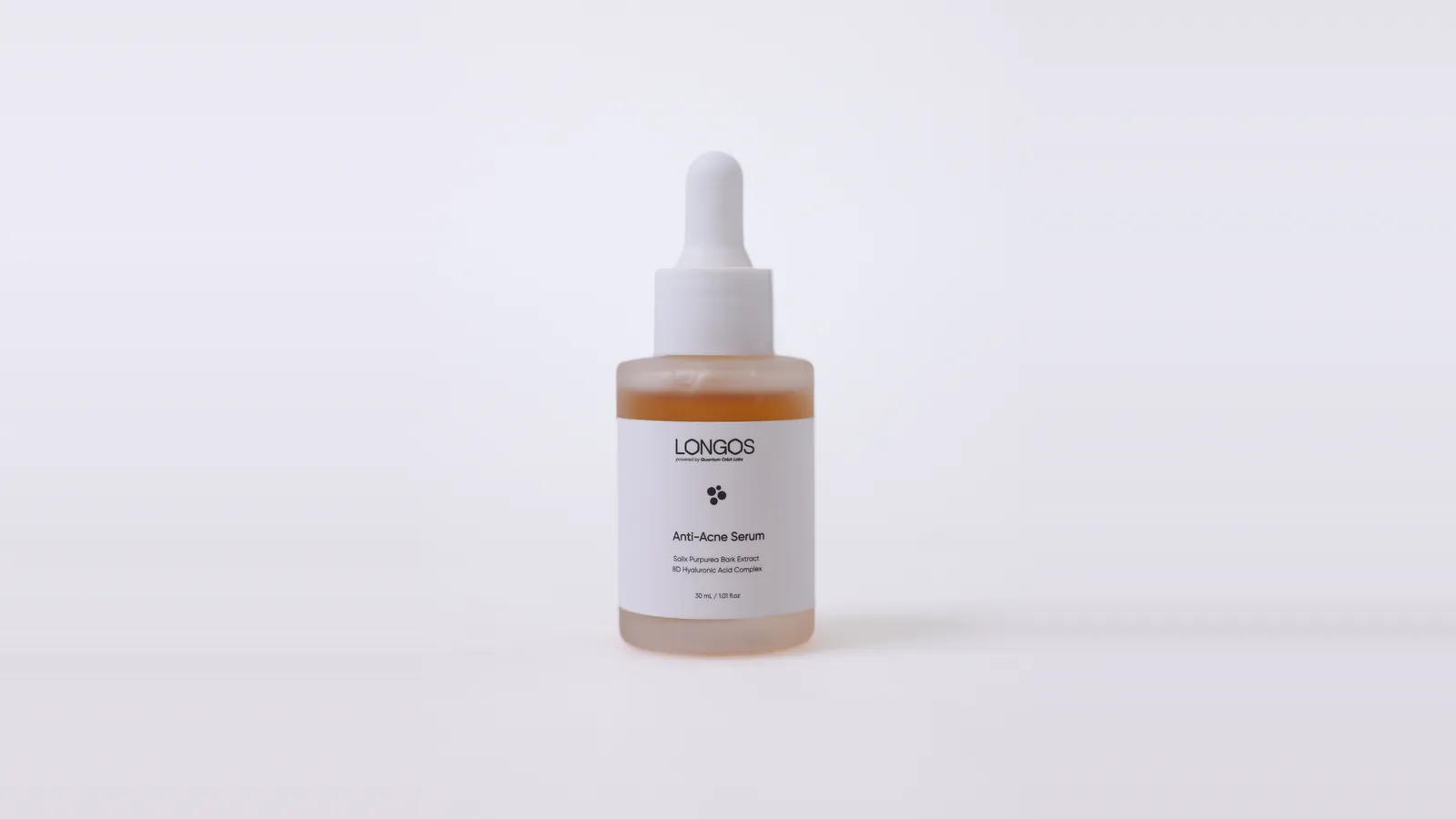
Which serum? According to section 7.1 of the manual, the app suggests a compatible serum based on your analysis scores, and the manual describes this suggestion as "optional". The Signature package has all eight serums; the other packages have the ones you choose. The key ingredients are:
| Serum | Key ingredient | Need it focuses on |
|---|---|---|
| Anti-Aging | Anigozanthos Flavidus extract, Hexapeptide-9 | The appearance of firmness, fine lines |
| Brightening | Stabilized 3-O-Ethyl Ascorbic Acid | Even tone, the appearance of dark spots |
| Detox & Blue Light | Epilobium (Oenothein B), Theobroma cacao | Blue light and environmental stress |
| Moisturizing | 8D hyaluronic acid complex | Hydration and barrier |
| Soothing | Tasmannia Lanceolata | Sensitive, reactive skin |
| Midnight Repair | Hydroxypinacolone Retinoate (a gentle retinoid ester) | Night care |
| Pore Minimizer | Epilobium and plant ingredients | The appearance of pores, oil balance |
| Anti-Acne | Salix Purpurea (natural salicylates) | Acne-prone skin |
In which mode does the manual mention a serum? Explicitly only in ultrasonic mode: you place Surface 1 on clean skin, and the mode "can be used with a cosmetic serum" (6.4). The manual also describes thermal mode as supporting the absorption of cosmetic products. RF, on the other hand, is applied to dry skin in the manual. For LED, cooling and vibration, the manual says "clean skin" and does not mention a serum. The amount of serum is not specified in the manual; the app reminds you what to do before the session starts.
If the app and the manual seem to differ. The product page describes applying the serum the app suggests and moving the device in the selected mode. Remember that the skin must be dry for the RF step. If you are unsure about a step, follow the manual and ask the support team.
Keep liquid away from the ports. Section 3.2 of the manual asks that no liquid, serum included, touch the charging port, the button and the openings; even a small amount of liquid can cause permanent damage. Faults caused by liquid fall outside free repair. Apply the serum to your skin, not to the device, and leave no serum residue on the surface at the end of the session.
Test a new serum first. The AAD recommends testing a new skin care product on a small area of the inner arm or the inside of the elbow twice a day for 7-10 days and moving to your face if there is no reaction. The AAD also notes that some ingredients, such as retinol, can cause temporary irritation, especially on sensitive skin. You can read how ultrasound is used together with a serum in our guide to ultrasonic skincare devices, and the forms of hyaluronic acid in the Moisturizing serum in our article on 8D hyaluronic acid.
Cleaning, storage, transport and battery care
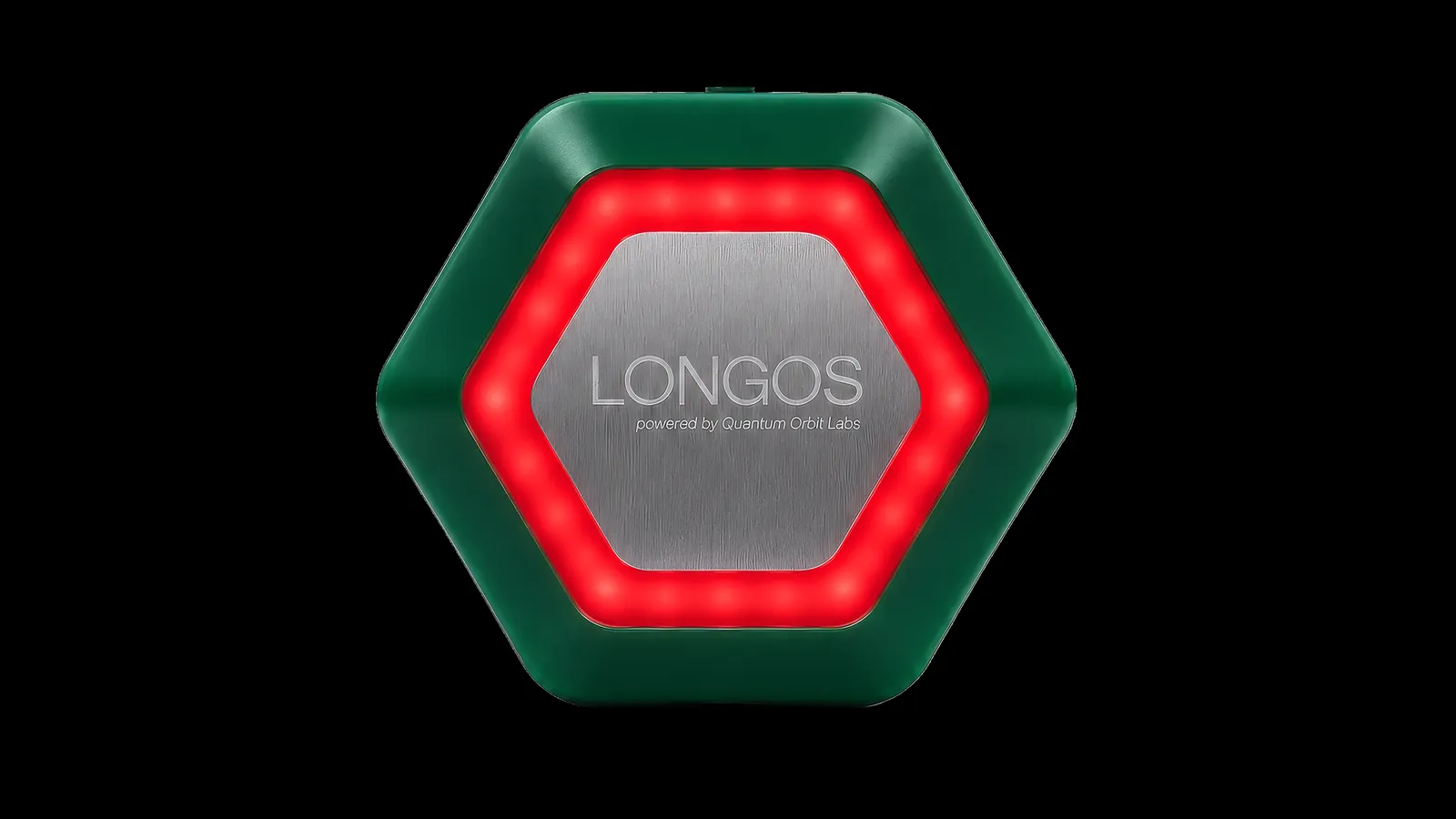
After every use. According to section 8.1 of the manual, wipe the application surface with a clean, dry cloth. No serum or liquid residue should remain on the surfaces and in the ports.
Deep cleaning. Section 8.2 of the manual asks you to wipe the application surface with a cloth lightly dampened with 70% isopropyl alcohol. Let it dry completely before storing or charging. Do not immerse the device in any liquid; do not use abrasive cleaners, solvents or bleach. How often to do deep cleaning is not specified in the manual.
Port and cable. Check the USB-C port and the cable regularly for damage and dirt; if needed, clean them with a dry toothpick or brush. If the device's performance drops, run a software update through the app. There are no user-repairable parts inside the device; do not try to open or take it apart.
Storage. According to section 9.1 of the manual, store the device in a cool, dry place out of direct sunlight, away from high humidity. The manual's technical table and QOL's manual page give the storage range as -5 °C to 60 °C and the operating range as 15-35 °C.
Transport. The device has optical components and sensitive electronics. Section 9.2 of the manual asks you to carry the device in a protective carrying case or its original box, not to drop it, and to protect it from impact and crushing. Do not leave it in a hot car, in direct sunlight, or in a very cold or humid environment; extreme temperatures can damage the battery and internal components. Make sure the device and the charging port are dry before putting it in the case.
Battery and disposal. The battery care in the manual comes down to three rules: protect it from heat, do not cover it while charging, and use a suitable charger. Battery life, and at what charge level to store the device if you will not use it for a long time, are not specified in the manual. Because the device contains a lithium-ion battery, it must not be thrown in household waste; when its life ends, take it to an authorized electronic waste collection point (manual, section 11).
Troubleshooting: the table in section 12 of the manual
| Problem | Solution in the manual |
|---|---|
| The device does not turn on | Charge the device. Hold the ON/OFF button for 2 seconds. The device cannot be used while charging. |
| The app cannot find the device | Turn on Bluetooth. Close and reopen the app. Restart the device. |
| Skin irritation after use | Apply a soothing moisturizer. If irritation continues, see a dermatologist. Review the cases in which the device must not be used. |
| The device overheats | Report it to [email protected]. Follow product safety announcements, instructions and updates in the app. |
| Liquid touched the device | Stop using it immediately and turn it off. Do not use it for at least 24 hours until it is completely dry; do not charge it while wet. |
| The AI analysis fails | Make sure the place is bright enough and hold the phone steady. Without glasses or a hat, your whole face should be in the image. |
| The device does not charge | Check the USB-C connection. Try another 5 V / 2 A compatible charger. Make sure the port is clean and dry. |
| The LED does not light | Make sure the device is on. Check the Bluetooth connection. If the problem continues, contact support. |
Feeling warm is not the same as overheating. Feeling mild warmth on the skin in RF mode is normal. If the body of the device overheats, QOL's manual page asks you to stop using it and report the situation by email.
When should you stop using it and see a doctor?
Stop right away. According to section 3.1 of the manual, if irritation, burning, pain or any other adverse reaction occurs, stop using the device and see a doctor. Mild warmth in RF is normal; burning and pain are not.
If the irritation does not go away. The troubleshooting table first suggests a soothing moisturizer. If the irritation continues, it asks you to see a dermatologist and to reread the cases in which the device must not be used.
Ask your doctor before you start. If you use a medication that causes photosensitivity or a blood thinner, or you have a health condition that is not on the list or a recent dermatological procedure, talk to your doctor before the first session.
The analysis is not a diagnosis. The app may score a spot as pigmentation, but it cannot tell you what the spot is. Cleveland Clinic reminds us that a change that looks like aging or a spot can sometimes be skin cancer, and recommends consulting a dermatologist before buying a device. If a spot is new, growing, or changing in color or shape, show it to a dermatologist instead of tracking it with the device.
Extending the time is not a solution. The manual treats use beyond 5-10 minutes per session as outside normal and foreseeable use. For dermatological harm that may arise from use contrary to these instructions, it states, relying on Turkish Law No. 7223 on Product Safety and Technical Regulations, that responsibility lies with the user. QOL's manual page also notes that longer use can lead to skin sensitivity.
Warranty, service and support: 2-year warranty, 5-year service life
The warranty is 2 years. According to section 14 of the manual, Quantum Orbit Labs covers the device for 2 years from the date of purchase against defects in materials and workmanship under normal use. The warranty does not cover damage resulting from misuse, liquid contact, drops, accidents, modifications or unauthorized repairs. Keep your invoice and the serial number on the box label. Under Turkey's Warranty Certificate Regulation, the time spent in repair is added to the warranty period.
What does the 5 years in the manual mean? The manual gives 5 years as the service life set by the regulation for personal care products. According to the Ministry of Trade's consumer information, the service life is the period during which the manufacturer must provide after-sales maintenance and repair services. In other words, the warranty lasts 2 years; the obligation to provide maintenance and repair services continues for 5 years.
Defective products and consumer rights. Section 15 of the manual refers to Article 11 of Turkish Consumer Protection Law No. 6502. If the product proves defective, you can choose one of these rights: withdrawing from the contract, a reduction of the price in proportion to the defect, free repair, or replacement with a defect-free equivalent. If you choose free repair or replacement, the manual says the request must be fulfilled within 20 working days at the latest.
How does a service request proceed? According to QOL's manual page, you first send your name, the invoice date, the serial number and the problem; a short video or photo speeds up the process. Most problems are solved remotely with a software update, re-pairing or a usage tip. If the device needs to come to service, you are given a shipping code; a device under warranty is repaired or replaced, tested and sent to your address.
Support channels. The email address is [email protected] and the phone is +90 212 909 06 72. According to the manual page, the line is open on weekdays from 10.00 to 18.00; in the voice menu you need to press 8. For short answers on orders and the warranty, see the frequently asked questions page. Return and withdrawal terms are in the distance sales contract; that is the binding text.
Where should you start this evening?
Put the device on to charge this evening, and while it charges read the list in section 2 of the manual once. Keep the first session at the lowest intensity, with a single mode and under 10 minutes. The manual does not say when to increase the intensity; if you have irritation or burning on your skin, stay at a low level, and if it continues, stop.
Take the first analysis with a clean, makeup-free face while the light comes from the front, and repeat it a week later at the same time in front of the same window. If you see a difference between the app's plan and the manual, follow the manual and write to the support team. Longos Sense is a cosmetic device; this guide gives usage information and does not replace medical advice.
Frequently Asked Questions
How many minutes do you use Longos Sense?
According to the user manual, a session lasts 5-10 minutes. The manual gives this range per area in one section and per session in another, and it treats use beyond this duration as outside normal and foreseeable use; the safest reading is therefore to finish the whole session within 10 minutes. The cooling (cryo) mode is 3-5 minutes per session. In heat mode, do not hold the device on one spot for longer than 10 seconds. During a session the app keeps the time.
How often is Longos Sense used per week?
The manual gives the frequency by mode. The Radiofrequency (RF) mode is recommended 3-4 times a week. The LED light modes (red, blue and near-infrared) can be used up to three times a day. For the ultrasonic, mechanical vibration, heat and cooling modes, the manual does not specify a frequency; for these modes, follow the 7-day morning-and-evening plan the app prepares from your analysis. In every mode, set the intensity between 1 and 6, starting from the lowest level.
How do you charge Longos Sense?
Use the USB-C cable in the box with a 5 V / 2 A compatible USB charger; a charging adapter is not in the box. A full charge takes about 2 hours, and you need to charge the device fully before first use. The device does not work while charging, and the app shows a warning when the battery is low. While charging, do not cover the device, plug and unplug the cable with dry hands, do not use a damaged or non-standard cable, and do not leave the device charging unattended for long.
How do you connect Longos Sense to the app?
Download the app from the App Store or Google Play; the QR code on the packaging also takes you to the app. Create an account and turn on your phone's Bluetooth. First open the app, then hold the ON/OFF button for 2 seconds to turn on the device; the device vibrates once, and the app detects it by itself and connects. If it does not connect, turn on Bluetooth, close and reopen the app, and restart the device. According to the distance sales contract, the app requires at least iOS 15.5 or Android 8.0.
How do you clean Longos Sense?
After every use, wipe the application surface with a clean, dry cloth and leave no serum residue on the surfaces or in the ports. For deep cleaning, use a cloth lightly dampened with 70% isopropyl alcohol and let the device dry completely before storing or charging it. The device is not waterproof: do not immerse it in any liquid, and do not use abrasive cleaners, solvents or bleach. Clean the USB-C port with a dry toothpick or brush when needed.
Which serum is used with Longos Sense?
The app suggests a suitable one of the eight Longos serums based on the scores of your skin analysis; the manual describes this suggestion as optional. The manual explicitly states use with a serum for the ultrasonic mode, while RF mode is applied to dry skin. Apply the serum to your skin, not to the device, and do not let liquid touch the charging port or the button. The American Academy of Dermatology recommends testing a new skin care product on a small area of the inner arm for 7-10 days before applying it to the face.
Clinical evidence